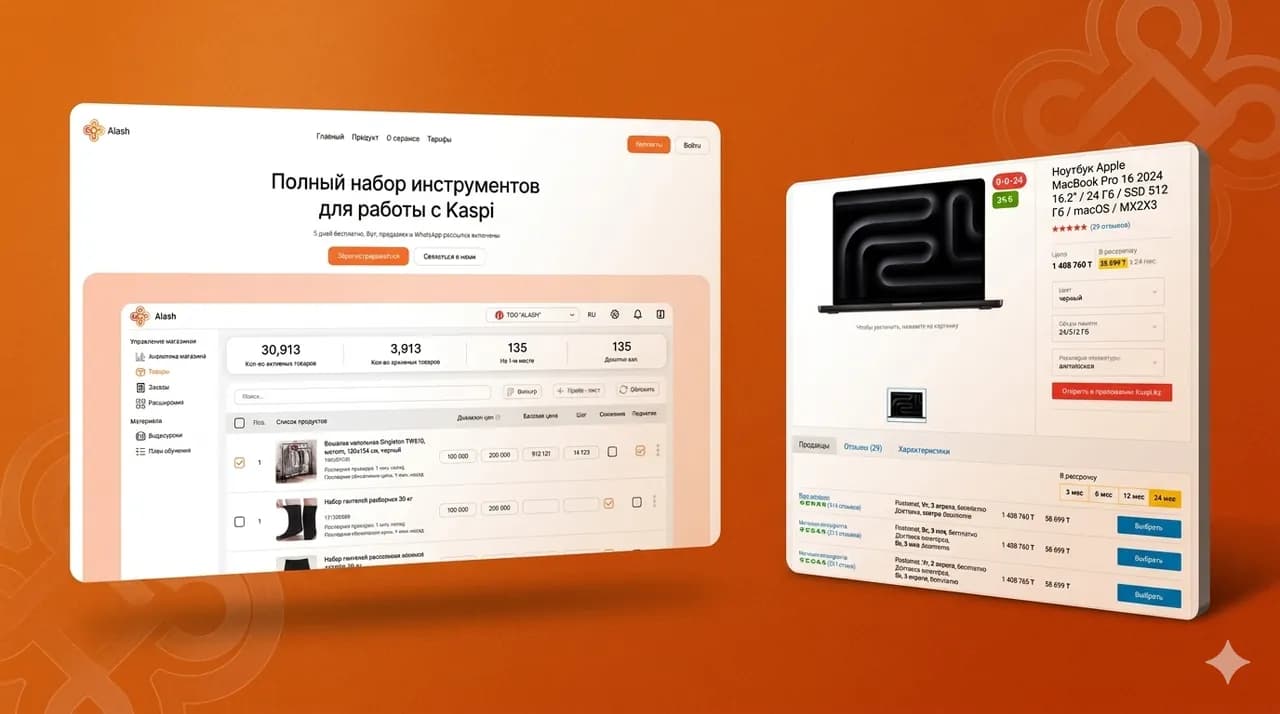
Most retail businesses in Kazakhstan start selling through Instagram and Kaspi. It's the right start: fast, with no development costs and with ready-made traffic. But at some point the owner notices that managers are drowning in DMs, the marketplace takes its commission, and the customer base lives on someone else's platform.
Below we break down when a business really needs its own online store, how to structure the catalog and product page, which payment and delivery options a buyer in Kazakhstan needs, what the admin panel must handle and which mistakes most often break the launch.
When a business needs its own online store
Your own store is not a status symbol and not a case of «everyone has one, so we need one too». It's a tool that only makes sense at a certain scale and for certain goals.
So first answer honestly: what doesn't work for you in your current channels. Whether you need a store at all depends on that answer.
What a marketplace and Instagram give you and where their ceiling is
Kaspi gives you traffic and trust in payments. Instagram gives you live contact with the buyer. For a start, that's enough.
The ceiling appears later and looks like this.
- Marketplace commission eats into the margin on every order
- The buyer belongs to the platform: you don't know their contacts and can't bring them back yourself
- Competition runs almost entirely on price — identical product cards sit right next to yours
- The storefront and the rules are controlled by the platform, not by you
- A social media account can get blocked, and a sales channel disappears in a day
- Orders in DMs are processed by hand and don't scale
While these limits don't get in the way, you can skip building your own store. When they start to — that's the signal.
Signs it's time to build your own store
In practice, the decision to build a store almost always grows out of the same symptoms.
- There's a steady flow of orders and repeat purchases — the business has something to lose on commission
- The assortment has grown, and buyers can no longer choose from a feed or stories
- Managers spend hours on the same questions about price, availability and delivery
- You pay for ads but send traffic to someone else's platform and accumulate no customer base
- You want to work with your customer base: mailings, repeat sales, loyalty programs
- The brand needs a face of its own, not a row in a shared catalog
If three or four points match, the store will pay off. If just one — it's most likely too early.
When it's too early for your own store
A store doesn't create demand on its own. If there are no orders on Instagram and Kaspi, there won't be any on your own site either — you still have to bring traffic there.
It's too early when you have fewer than a couple dozen products, orders are sporadic, and there's no one to fill the catalog and process requests. A site with outdated stock and missing photos does more harm than having no site at all.
The healthy setup is a combined one. The marketplace remains a sales channel, social media a communication channel, and your own store becomes the center: with a customer base, a proper catalog and margin free of commission.
Catalog structure: categories, filters and search
The catalog is the skeleton of the store. If a buyer can't find a product in two or three clicks, they won't dig deeper. They'll close the tab.
At Qazaqsoft we start designing a store not with the design but with the catalog structure: how the buyer searches for a product, what attributes they compare by and what belongs in the filters.
Categories built on buyer logic, not warehouse logic
A common mistake is copying the warehouse structure or the supplier's price list onto the site. The buyer thinks differently.
How to build categories that work.
- Name categories with the words buyers use to search, not internal codes
- Keep two, at most three levels of nesting — nobody goes deeper
- One product can live in several categories if that's how people look for it
- Surface popular categories on the home page and in the top menu
- Don't multiply categories with two or three products — merge them
The test is simple: ask a friend to find a specific product. If they hesitate on the third click, the structure needs fixing.
Filters people actually use
Filters are needed not «just in case» but for real selection scenarios. For clothing it's size and color. For electronics — brand and key specs. For everything — price.
What matters in filters.
- Price and availability filters — the basic minimum for any niche
- Separate filter sets per category: shoes and tableware have different attributes
- Filters mustn't return an empty result with no explanation
- On mobile, filters should open comfortably and apply without breaking the flow
Filters only work on clean data. If half the products have no color filled in, the color filter will lie. That's a matter of content discipline, not development.
Catalog search and the empty result page
In a store with a few hundred products, search becomes the main route. People who use the search bar are usually the closest to buying.
Search should forgive mistakes: typos, the wrong keyboard layout, different word forms. And show suggestions as the user types.
Think the empty result page through separately. A «nothing found» page with no alternatives is a lost buyer. Show similar products, popular categories and a way to reach a manager.
A product page that answers questions before the call
The product page is where the decision is made. Everything buyers currently ask you in DMs should be on the page: price, availability, sizes, delivery times, return conditions.
Every question the page fails to answer is either a load on the manager or a lost order.
Photos, description and specifications
The buyer can't touch the product. Photos and specifications stand in for their hands.
- Several photos from different angles, ideally in a real usage context
- Detail shots: hardware, seams, texture, ports — what people inspect up close offline
- Specifications as a table, not as a wall of text
- A description about benefits and usage scenarios, not a retelling of the specs
- A size chart or dimensions wherever they affect the choice
A description copied from the supplier is a double problem: it doesn't answer questions and it's duplicated across dozens of sites, which hurts SEO.
Price, availability and product variants
The price must be visible right away, without «ask the manager». A store with price-on-request loses to the marketplace instantly — there the price is always in plain sight.
What else matters next to the price.
- Availability: in stock, made to order with a timeframe, out of stock
- Product variants — size, color, volume — with up-to-date stock for each
- An installment option, if you offer one: for Kazakhstan this is a strong argument
- A «notify me when available» button for out-of-stock items — that's a warm contact
If the site says «in stock» and after the order a manager calls to say «it's sold out», trust in the store drops immediately and for a long time.
Trust blocks: delivery, returns, reviews
Buyers in Kazakhstan are used to marketplace guarantees. Your store has to close the same fears.
- Brief delivery terms right on the product page: where, how much, how fast
- Return and exchange conditions in plain words
- Product reviews, if you're ready to collect and moderate them
- A contact for a quick question — WhatsApp or phone
These blocks can be shared templates inserted into every product page. The main thing is not to force the buyer to go hunting for the terms across the site.
Cart and checkout without extra steps
Checkout is the most fragile place in the store. The buyer has already chosen everything; all that's left is not to get in the way of paying. Every extra step and every extra field here costs real money.
A good checkout takes a minute or a minute and a half from a phone. That's the benchmark to check every decision against.
The cart: what should be in it
The cart isn't just a list. It's where the buyer checks the order one last time.
- Photo, name, variant and price of every item
- Changing quantities and removing items without navigating away
- A total that recalculates instantly
- The delivery cost, or at least an estimate, before checkout
- A promo code field, if you use promo codes
The cart must survive a closed tab. A buyer who comes back a day later and finds an empty cart rarely rebuilds it.
Checkout: minimum fields and no mandatory registration
Mandatory registration before purchase is one of the most reliable ways to lose an order. Buying must be possible as a guest, and an account can be created automatically after the order.
Which fields are actually needed.
- Name and phone — the foundation; the manager confirms the order by phone
- Fulfillment method: delivery or pickup, with an address only if delivery is chosen
- Payment method
- An order comment — optional, not a required field
Everything else — email, date of birth, «how did you hear about us» — can be found out later, if it's needed at all. Every extra required field lowers the share of completed orders.
Format and validate the phone number right in the input field. An order with a typo in the number is an order the manager can't confirm.
Order confirmation and what happens next
After checkout the buyer must know for sure: the order is in, here's its number, here's what happens next.
- A success screen with the order number and contents
- A notification by SMS, WhatsApp or email — in a channel people actually read
- A clear next step: «the manager will call within the business day» or «the order has been handed to delivery»
If silence follows the «Place order» button, the buyer starts calling and duplicating the order. Or decides the site is broken and goes to a competitor.
Payments in Kazakhstan: Kaspi, cards and installments
Payments are the most local part of an online store. Solutions that work in Europe or Russia may simply not match buyer habits in Kazakhstan.
Here the buyer expects Kaspi first of all. That's the fact to start from when designing payments.
Which payment methods the buyer expects
A working set for most stores in Kazakhstan looks like this.
- Kaspi Pay or paying an issued invoice in Kaspi — the familiar scenario for most people
- Bank card payment on the site through a payment gateway
- Installments and credit — for mid- and high-ticket products this is often the deciding factor
- Payment on receipt — cash or card to the courier, if your model allows it
You don't have to launch everything at once. But a single payment method is a risk: any outage on the provider's side stops all sales.
Show the available payment methods in advance — on the product page and in the cart. A buyer who counted on installments and didn't find them at the last step won't complete the order.
How to connect payments and what to agree on in advance
Technically, payment acceptance is connected through payment providers and banks. The terms — commission, settlement times, requirements for the legal entity — differ for everyone and change, so clarify them directly at the selection stage.
What's worth finding out before the integration.
- The commission per payment and how fast the money reaches your account
- Whether the provider supports installments and which product categories qualify
- How refunds to the buyer are processed and how long they take
- What documents and legal entity status are needed to connect
- Whether there are ready-made modules for your platform or an API integration is needed
In our projects, negotiating the contract with the payment provider has more than once taken longer than the integration itself. Start that process in parallel with development, not after it.
What to do with a failed payment
Some payments don't go through: not enough limit, the bank declined, the person got distracted. That's a normal situation, and the store must handle it rather than stay silent.
- An order with a failed payment must be saved, not disappear
- The buyer gets a clear message and a «try again» button or another payment method
- The manager gets a signal in the admin panel or CRM that there's an order with a payment problem worth following up on
An unpaid order is the warmest lead in the store. The person has already chosen everything and entered their details. One call or message often brings such a sale back.
Ask a question or leave a request
We'll design the catalog around your buyers' logic, build a cart and checkout without extra steps, connect Kaspi and card payments, set up delivery and an admin panel the manager can run without a programmer. We'll connect the store to a CRM and inventory so stock and orders don't drift from reality.
By submitting the form, you agree to the processing of personal data.
Delivery and pickup: scenarios that work in Kazakhstan
Delivery is the second reason for abandoned orders after payment. Unclear cost, vague timeframes or a missing fulfillment option kill conversion at the last step.
Kazakhstan's geography makes delivery a task of its own: distances are long, and the terms for your own city and for the regions are almost always different.
Delivery options and an honest cost calculation
A typical set of scenarios for a Kazakhstani store.
- Courier delivery within your city — in-house or through a delivery service
- Shipping to other cities via courier companies or parcel lockers
- Oversized delivery with separate terms, if you sell furniture or appliances
- Free delivery above a certain amount — a clear incentive to grow the order value
The main rule: the buyer must see the delivery cost and timeframe before confirming the order. The phrase «the manager will calculate delivery after the order» takes you back to the level of DM correspondence.
If an exact calculation isn't possible, give honest estimates by zone: this much within the city, this much across the region, a range for other regions.
Pickup as an underrated scenario
If the business has an offline location, pickup solves several things at once: zero delivery costs, same-day collection, and trying on or inspecting the product on the spot.
For pickup to work, three things must be clear: the address and working hours of the location, when the order will be ready for collection and how many days it's held.
Pickup also brings the buyer into the shop, where they often buy something extra on the spot. For retail this is a notable plus that's easy to underestimate.
Order statuses and notifications
After paying, the buyer wants one thing — to know where their order is. If the status is unknown, they call. Lots of «where is my order» calls are a sign the site is staying silent.
The minimum set of statuses that removes most questions.
- Order received and confirmed
- Handed to delivery or ready for pickup
- Delivered or collected
- Cancelled — with a reason, if a cancellation happened
Key status changes should reach the buyer automatically — by SMS or WhatsApp. This offloads managers more than any reply script.
The admin panel: products, stock, orders and discounts
The buyer sees the storefront, but the business lives in the admin panel. If managing the store is inconvenient, prices and stock start lagging behind reality — and the storefront starts lying.
At Qazaqsoft we design the admin panel for the person who will work in it every day: usually not an IT specialist but a manager or the owner themselves. If changing a price requires a developer, it's a bad admin panel.
Managing products and stock
Basic product operations should take minutes, not an evening.
- Creating and editing a product with photos, variants and specs in a single form
- Bulk operations: change prices for a category, hide a group of products, export and import stock
- Stock management per variant — separately for each size and color
- Hiding a product from the storefront without deleting it — for seasonal items
- Import from a spreadsheet, if the assortment is large and manual entry is unrealistic
Stock is the sorest spot. If a product sells offline, on the marketplace and on the site, without stock synchronization you'll be selling what's already gone.
Processing orders
The orders section is the manager's workplace. Confirmation speed depends on its usability, and confirmation speed directly affects the buyout rate.
- An order list with statuses, totals and filters by date and status
- An order card: contents, contacts, payment and delivery method, the buyer's comment
- One-click status changes with an automatic notification to the buyer
- A change history: who confirmed, changed or cancelled the order, and when
- A new-order notification to the manager — in Telegram, WhatsApp or by email
An order the manager saw three hours later confirms noticeably worse than one called back within ten minutes. New-order notifications are a mandatory part, not an option.
Discounts, promo codes and promotions
Discounts are a working retail tool, and the admin panel must let you manage them without a programmer.
- Old and new price on a product, displayed clearly on the storefront
- Promo codes with constraints: validity period, minimum amount, usage count
- A discount on a category or a product selection for the duration of a promotion
- Automatic promotion end by date — so a «discount until Sunday» doesn't hang for a month
Promo codes also provide analytics: the code shows which channel brought the buyer — a blogger, a mailing or an offline flyer.
Connecting to a CRM and an inventory system
With five orders a day you can run them in a notebook. At twenty, losses begin: someone wasn't called back, someone's order got lost, stock drifted away from the books.
Integrations with a CRM and an inventory system solve exactly this — orders and stock stop depending on one person's attentiveness.
Why a store needs a CRM
A CRM collects all requests and orders in one place — from the site, from Instagram, from WhatsApp. The manager works in one system instead of jumping between tabs.
What this gives in practice.
- No order or request gets lost — each has a status and an owner
- The buyer's history is visible: what they ordered, for how much, what questions they had
- A base for repeat sales appears — mailings and offers by segment
- The owner sees the numbers: how many orders, the buyout conversion, where orders get stuck
With UTM tags on the order, the CRM also answers the main advertising question: which channel brings sales and which just burns budget.
What to synchronize with the inventory system
If the business runs an inventory system — 1C or an equivalent — the site must work with it, otherwise managers will keep two sets of records by hand.
- Stock: an offline sale reduces the stock on the site, and vice versa
- Prices: a change in the inventory system reaches the storefront without manual duplication
- New products: entered in the system — the card appears on the site, leaving only photos and a description to add
- Site orders land in the system for reservation and shipment
Synchronization doesn't have to be instant. Updating stock every few minutes covers nearly all real retail scenarios.
Typical integration mistakes
Integrations break most often not because of technology but because of data and processes.
- Products are named differently in the system and on the site, and linking them is impossible without manual mapping
- Nobody agreed which system is the source of truth for prices — and prices start arguing
- A sync failure is invisible to everyone: stock silently went stale and was noticed a week later
- The integration is postponed «for later» and double records are kept by hand for months
The rule is simple: every data set has one source of truth, and sync failures must raise an alarm rather than pass quietly.
The catalog's SEO basics: free traffic for years
The main long-term advantage of your own store over a marketplace is search traffic. Category and product pages can bring buyers for years without ad spend.
But this only works if the SEO basics are built into the structure from the start. Redoing URLs and structure on a live store is expensive and painful.
URLs, meta tags and page structure
The technical baseline to demand from the developer by default.
- Human-readable URLs: site.kz/catalog/sneakers, not site.kz/cat?id=1234
- A unique title and description for every category and product, generated by template with manual override
- One product — one URL: duplicate pages dilute rankings
- Breadcrumbs on categories and product pages
- Product structured data: price, availability and rating right in the search results
- An automatic sitemap that updates when products are added
This isn't «promotion», it's hygiene. Without it the store is invisible to search regardless of the marketing budget.
Category and product page texts
The category page is the main landing page for commercial queries like «buy sneakers in Almaty». A short, meaningful text on the category helps both search and the buyer's orientation.
On product pages the main thing is unique descriptions. Texts copied from the supplier are treated by search as duplicates and ranked lower.
If the market searches in two languages, a multilingual catalog is both a convenience and extra search traffic: Kazakh-language queries are often less competitive.
Technical details that affect rankings
Loading speed on mobile is a factor for both ranking and conversion. A catalog with heavy, uncompressed photos loses twice.
- Image compression and modern formats on the storefront
- Correct redirects and a 404 page with a path into the catalog for removed products
- A stable mobile layout with no jumping blocks
If a product is gone for good — don't delete the page silently. Set up a redirect to the category or a similar product, otherwise the traffic the page accumulated goes nowhere.
Typical mistakes when launching an online store
Most failed launches break in the same places. These mistakes are cheaper to know in advance than to fix on a live store.
- Launching «everything at once»: six months building a personal account and a bonus program instead of a fast start with catalog, cart and payments
- A beautiful storefront over an empty catalog: ten products without photos and descriptions don't sell, no matter how you style them
- Nobody owns the content: development is done, but there's no one to fill the product pages
- Payments and delivery left «for later» — the buyer reaches checkout and hits «contact the manager»
- The checkout was never tested from a phone, even though most orders will come from there
- The site launched without analytics, and a month later nobody can say where buyers are getting lost
- No traffic plan: the store is ready, but nobody knows about it
How to launch in stages
The working strategy is to launch the core and grow it on live orders. The core is the catalog, the product page, the cart, payments, delivery and the admin panel. Everything else can wait.
The personal account, the loyalty program, collections and a blog come in the second stage — once the first orders show where the real bottlenecks are, not the assumed ones.
In our projects, the first stage has almost always come out more precise when the requirements were written down beforehand: what we sell, how we deliver, how we accept payments and who works in the admin panel. An hour of discussing these questions saves weeks of rework.
What to check before launch
A short checklist worth going through by hand from a phone.
- The full path: product search, cart, checkout, payment, order notification
- A test payment with every connected payment method
- New-order notifications reach the manager and don't get lost
- Stock and prices on the storefront match reality
- The failed-payment and empty-search scenarios don't lead the buyer into a dead end
One test order completed by the owner personally finds more problems than a week of discussing mockups.