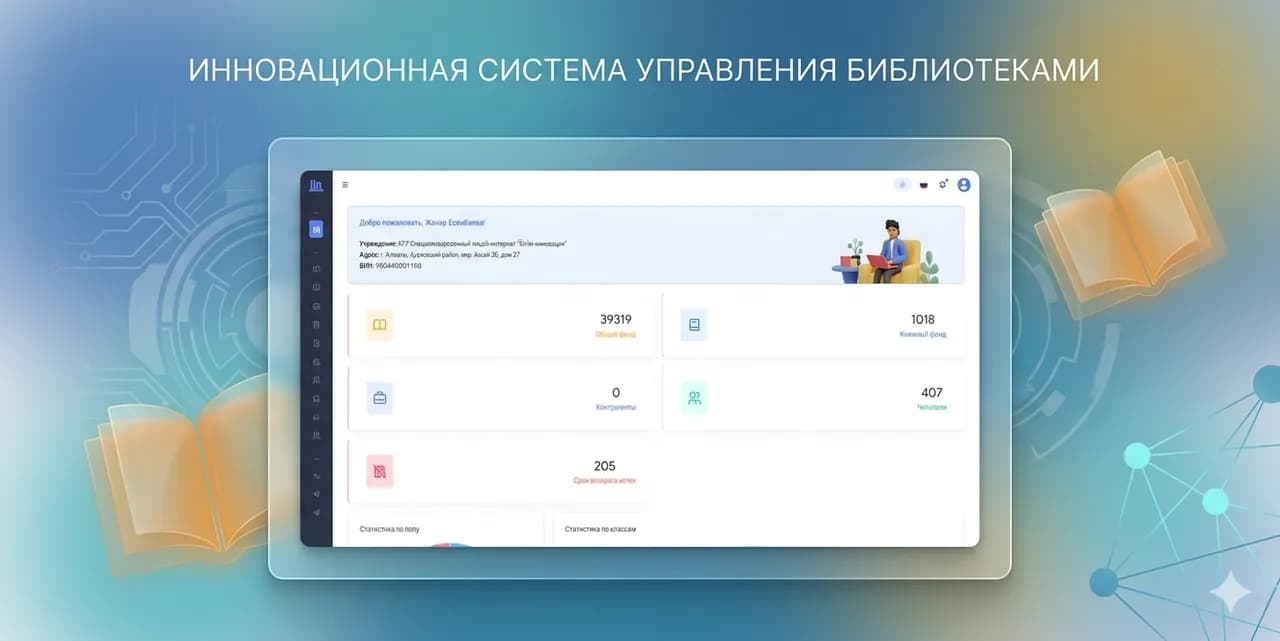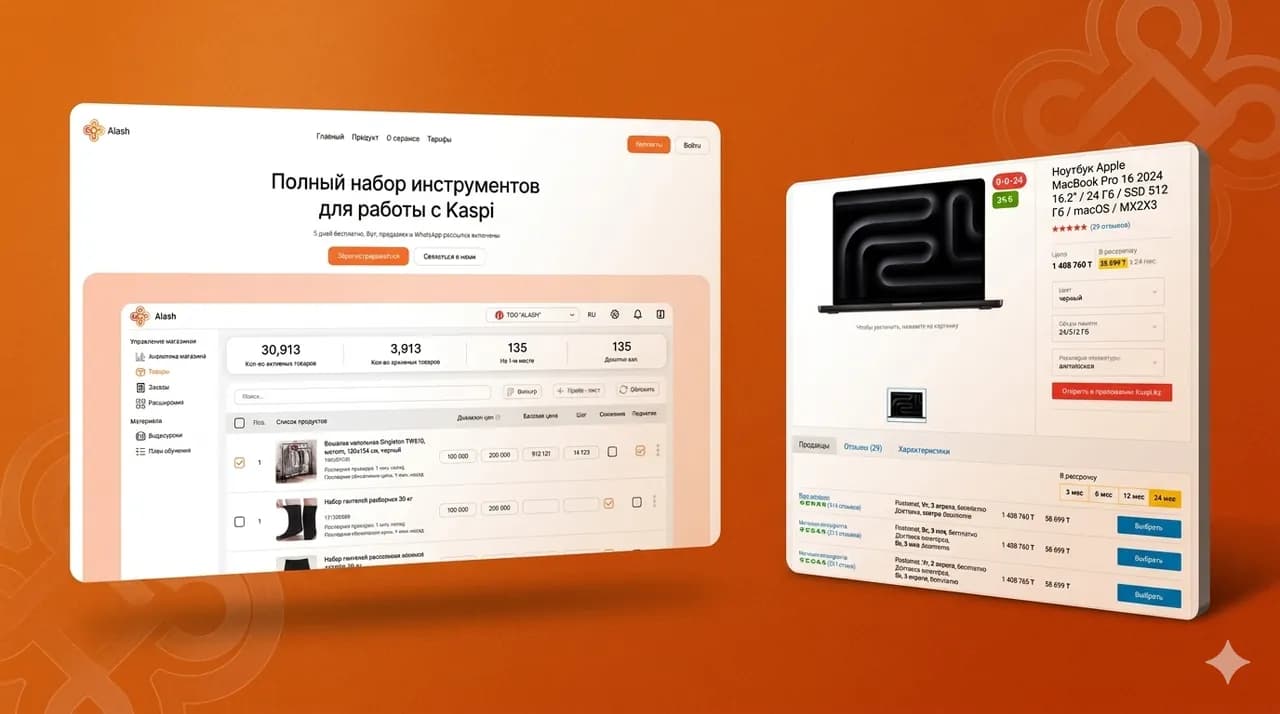
An admin panel solves a simple problem. It gives the team control over the website or service without filing tasks to programmers for every text, banner or form. That saves time, reduces errors and speeds up marketing and sales.
Below is a list of what's worth building in from the start if you want a content manager, a marketer and a manager to work on their own without breaking the system.
Why a business needs an admin panel and which tasks it takes off developers
An admin panel isn't only for publishing. It's needed for day-to-day work. The team changes content, manages requests, updates prices and checks that the site works as it should. Without an admin panel — or with a weak one — every change turns into a queue of tasks for developers.
A good control panel does two things. It simplifies the routine and protects against mistakes. And it records who changed what. That matters when several people work on the site.
Working with content without touching the code
The team should edit texts and blocks through clear fields. No HTML. No manual layout. No copying chunks of code.
The panel needs content templates. A page, a news item, a case study, a product, a service. Each type should have its own fields. A title, a description, an image, a button, a link, the order of blocks. Then content looks consistent and doesn't fall apart on mobile.
Operational management of requests and data
A site almost always collects inquiries. Requests, calls, consultation requests, estimate requests, bookings, callbacks. The admin panel should show these inquiries in one place.
The team should see the status of a request. New, in progress, closed. It should see the source, the date and the contact. It should be able to assign an owner. And quickly export the data when needed.
If there's no admin panel, requests live in email and messengers. Then they get lost.
Quick changes without releases
Marketing often changes offers. Changes prices. Tests headlines. Launches seasonal campaigns. At that moment development must not become a bottleneck.
The admin panel should allow quick edits without a release. That covers the first screen, banners, buttons, terms, texts, trust blocks, contact details and service cards. If changes require shipping code, the business loses speed.
Signs that the admin panel is inconvenient and the team keeps hitting development
A bad admin panel is visible in how the team behaves. People start to work around the system. They keep content in documents. They ask a developer to edit texts. They're afraid to click buttons. And in the end the site stays still while the business changes.
There are three common signs.
Every change goes through tasks for programmers
The team wants to change a text. It has to write in a chat. Then wait. Then get approval. Then ask again, because it was moved over wrong. This kills regular updates.
If editing the menu, the footer, the contacts or the blocks on the home page needs a developer, the admin panel doesn't solve its main task.
Errors from manual edits and the lack of checks
The team pastes text and breaks the spacing. Uploads a 15-megabyte image and the site becomes slow. Sets a link without https and the form stops working. Publishes a page without a title and junk shows up in search.
The admin panel should check the basics. Field length, required values, phone and email format, image size. And it should suggest how to do it right.
No clear ownership and no change history
When several people edit the site, conflicts appear. One changed a price. Another reverted to the old one. A third deleted a block and didn't notice. Then no one understands what happened and when.
If the admin panel doesn't keep a change history and doesn't show the author, the team loses control. And the business goes back to developers to restore the data.
Content and site structure: what should be editable from the panel
If you want work without developers, you have to move all frequent changes into the panel. Not just articles. Not just news. It's important to manage the structure and recurring elements.
Below is the baseline minimum that a business almost always needs.
Pages, blocks, menu and footer
The team should change the menu structure. Add sections. Hide outdated pages. Change the order of items. And do it without access to the code.
The footer should be editable from the panel too. Phone, address, email, links to messengers and social media, legal details, working hours. This data changes more often than it seems.
If the menu and footer are hardcoded, any edit goes through a developer. And that immediately creates a queue.
Catalogs, news, articles and cards
For a services site this is often a list of services and a service card. For an online store it's products and categories. For an educational project it's courses and lessons. For a service it's pricing plans and feature pages.
The admin panel should support such entities as records with fields. A title, a short description, a full description, images, attributes, a price, tags, a link to a category.
Display order matters too. Manual sorting. Pinning. Hiding without deleting.
Media library and file management
The team constantly uploads images, documents and presentations. The admin panel should store files in one place and provide clear search.
It's important to build in control over sizes and formats from the start. And clear names. Otherwise media turns into a mess of file 1 final final and img 12345.
A good library shows where a file is used. That lowers the risk that someone deletes a needed image and breaks a page.
Forms, requests and communications so inquiries don't get lost
Forms connect the site to sales and support. If forms are set up badly, you lose leads. If the team can't manage forms without developers, you lose speed.
The admin panel should help collect inquiries and carry them through to a reply. Not just send an email.
Form builder and required fields
The team should create and change forms. A request, a consultation, a callback, a booking, a subscription. Forms should support required fields and clear labels.
It's important to provide basic settings. The button text, the post-submit text, the thank-you page, consent to data processing. And spam protection if the project gets a lot of junk messages.
Notifications to email and messengers
If a notification goes to a single email only, requests often get lost. An employee went on vacation and no one saw the message. Or the email landed in spam.
The admin panel should let you configure recipients. Several addresses. And notifications to work channels if that's how the team operates.
Notifications to the client matter too. A confirmation that the request was received. That reduces anxiety and the number of repeat inquiries.
Export and passing data to a CRM
When there are many requests, the team can't keep up with them manually. Then a CRM connection is needed. Or at least an export in a clear format.
The minimum that helps from the start is exporting requests and filters by dates and statuses. The next level is passing requests to a CRM without manual copying.
If you plan to sell through the site, think this block through before development. Then you won't have to redo the forms and the logic after launch.
Users, roles and access permissions for safe team work
An admin panel should work like an office. Everyone does their part. And no one breaks someone else's process. Roles and permissions save time and protect data. They also remove a typical conflict. When a marketer needs to quickly update a page, while the administrator is afraid to give full access.
Roles by task: editor, manager, administrator
Define roles by task, not by job title. The editor works with texts and media. The manager works with requests and statuses. The administrator manages the structure, permissions and settings.
This way the team learns faster. And you find faster who is responsible for a specific area. That reduces the chaos in edits and speeds up daily work.
Splitting view, edit and publish permissions
Split three actions. View, edit, publish. Then the editor can prepare a page but doesn't push it to production without a check. A manager or administrator confirms the publication.
This is especially important for prices, terms and legal blocks. A mistake in such places costs money and reputation. Permissions help catch errors before the client sees them.
Access for contractors and temporary permissions
Contractors are often needed for specific tasks. A designer needs to upload a banner. An SEO specialist needs to fix metadata. A content manager needs to fill in a catalog. They don't need full access.
Give temporary permissions and limit the sections. And set an expiry. After the work is done, you close the access without manual cleanups and without the risk that an old login stays active.
Ask a question or leave a request
We'll describe the roles, request statuses, access permissions and data rules. We'll build a panel where the team manages content, inquiries and SEO fields itself — without tasks for programmers on every edit.
By submitting the form, you agree to the processing of personal data.
Data quality and protection from errors without developers
The team wants speed. But speed without protection leads to breakage. A good admin panel makes the right behavior easier than the wrong one. Then the developer doesn't spend time restoring pages, cleaning the database and fixing strange bugs.
Validations, hints and fill-in templates
The panel should check data before saving. Phone and email format. Required fields. The length of titles and descriptions. File types. Image size.
Add hints right in the fields. What to write. In what format. What image size is needed. That reduces the number of errors and speeds up content entry. Especially for new employees.
Drafts, preview and moderation
The team should work in drafts. Without the risk of accidentally publishing an unfinished page. The preview should show how the page looks on the site. And on mobile too.
Moderation is needed where accuracy matters. Prices, terms, public offers, schedules, important announcements. One person prepares it. A second checks it. A third publishes it. The admin panel should support this scenario.
Bulk operations and safe deletion
When there's a lot of content, manual work kills time. You need bulk actions. Hide records. Change the category. Update the status. Export the list.
Deletion should be safe. With confirmation. With a trash or archive. With the ability to restore. That protects against accidental loss when an employee cleans up a list and deletes something needed.
SEO settings and metadata so content works in search
SEO doesn't live separately from the admin panel. The team regularly publishes pages, articles and cards. And if the panel doesn't let you manage basic SEO fields, you depend on a developer even for simple edits. That slows down traffic growth and complicates marketing's work.
Title, Description, H1 and clean URLs for pages and records
The admin panel should provide fields for Title and Description. And a separate field for H1. The team should see exactly what goes into the search results and onto the page.
The URL slug should be editable too. A clear page address reduces confusion and helps the site structure. It's important that the system doesn't break links during edits and doesn't create duplicates automatically.
Indexing, canonical and redirects
The team should manage indexing. Close a page from indexing if it's temporary or technical. Set canonical if there are similar pages and you don't want duplicates.
Redirects are needed when changing a URL, deleting pages and rebuilding the structure. If redirects live only in the code or on the server, any edit turns into a task for a developer. The panel should provide a simple table of redirects and a check for errors.
Sitemap and structured data where applicable
The site should update the sitemap automatically when the team publishes new pages. That reduces manual work and speeds up how quickly new material reaches search.
Structured data is worth enabling where it genuinely supports the content. For articles or cards, for example. The main rule is simple. The admin panel should help fill in the needed fields and not require writing code by hand.
Security, backups and the action log
An admin panel gives access to important things. So security can't be an option for later. Even a small site faces password leaks, accidental deletions and edit conflicts. The panel should protect the business and help it recover if something goes wrong.
Two-factor authentication and password policy
Enable two-factor authentication for administrators and key roles. That lowers the risk of a breach if a password leaks.
Set a password policy. A minimum length. A ban on simple combinations. Regular rotation for critical roles. These are boring settings, but they protect the site, the requests and customer data.
Action logs and change history
The panel should record actions. Who logged in. What they changed. What they deleted. When and from which account. That helps investigate incidents and resolve disputes inside the team.
Change history isn't only for control. It helps roll edits back. That saves hours when someone accidentally changed a block on the home page or deleted an important record.
Backups and recovery
Set up backups before launch. A regular backup and a clear recovery scenario. The team should know where the copy is stored and who is responsible for recovery.
If recovery is done only by a developer and only by hand, you lose time at the very moment when the site is already down or the data is already deleted. The admin panel and the support process should close this risk in advance.
What to check before choosing or building an admin panel
An admin panel can't be judged by a screenshot. It has to be tested against the team's real tasks. Then you'll see where you'll depend on developers and where the team can work on its own. This stage saves money and nerves after launch.
A list of the team's typical tasks and how often things change
Put together a list of tasks for a month. Which pages you edit most often. Which data changes every week. Who makes these changes. And how many steps each edit takes.
This quickly shows what exactly needs to be moved into the admin panel. And what can stay as a rare request to development. That way you don't overpay for unnecessary modules and don't forget critical features.
Integrations with email, analytics, CRM and payments
Check where the requests go. How you measure conversion. Where you manage customers. If you use analytics and a CRM, the admin panel should support these connections without manual copying.
If the project takes payments, think through who sees the statuses and where the team checks for errors. Even if payments aren't in the first version, it's better to leave room for the integration in advance.
Training, documentation and support after launch
The admin panel should be clear, but training is still needed. Check whether there are instructions for the roles. The editor needs one logic. The administrator another.
Think about support after launch. The site is alive. You'll add sections, change forms and update content. You need a process that helps you do that without chaos. If you need regular support and growth, agree on the maintenance format with the team in advance.