
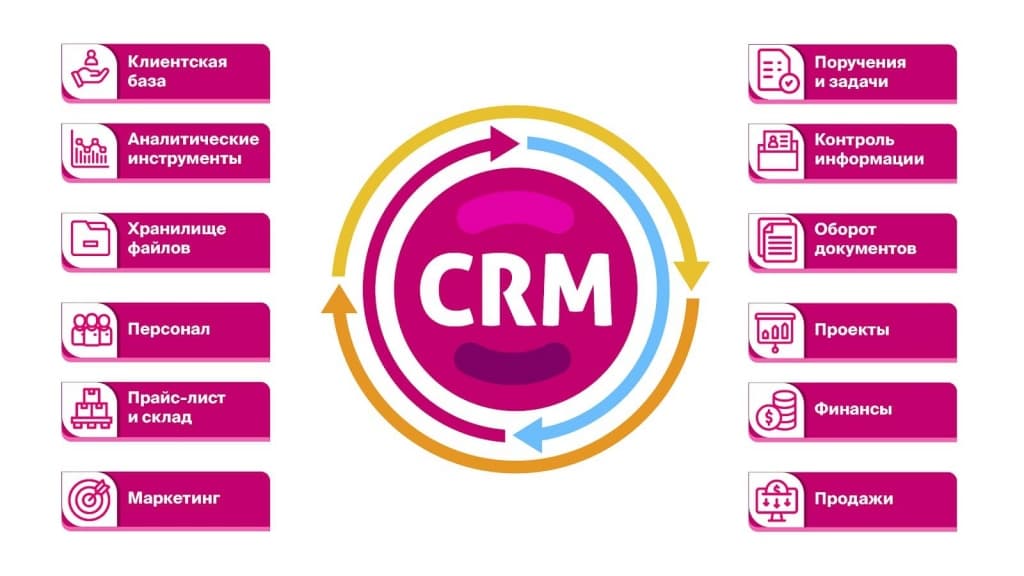
CRM solves a simple problem: enquiries and customers should not get lost in messages, calls or salespeople’s memories. When a business is small, the problem is easy to miss because the owner remembers every customer. But once more than ten enquiries arrive each day and the team grows beyond one person, manual tracking starts costing money: some customers never get a promised callback, some orders are duplicated, and others disappear between Instagram, WhatsApp and phone calls.
This article explains CRM in plain language, the tasks it actually handles and, most importantly, how to tell when your business needs it rather than simply following a trend.
CRM explained in plain language
CRM (Customer Relationship Management) is a system for tracking customers and orders that replaces spreadsheets, sticky notes and memory. Instead of remembering an order’s status or searching a chat, you open the customer record and see the full history: what they bought, when they contacted you, the deal’s current stage and the salesperson responsible.
CRM is more than sales software: it is a single reliable source of customer information. It answers three questions that otherwise tend to be resolved late or incorrectly: who is the customer, what stage are they at, and who is responsible for them?
What CRM helps you do
CRM is useful because it fixes specific operational gaps, not because it is fashionable.
It keeps enquiries from getting lost. Every contact from a website, phone call, social network or messenger enters the system so it can be followed up. It records customer history: managers see previous purchases, promises and agreements without starting the conversation from scratch. It assigns responsibility, showing who owns a deal, missed a callback or replied late. It reveals the sales funnel: how many enquiries reach payment, where customers drop out and how long deals take. It reduces reliance on memory, allowing a new employee to get started by reading customer records instead of asking colleagues for background.
Signs your business is ready for CRM
Not every business needs CRM from day one. The need emerges at a particular stage of growth. These signs suggest you have reached it.
Enquiries arrive through several channels at once—your website, Instagram, WhatsApp and calls—and some are lost or duplicated. More than one person accepts orders, but nobody can say clearly who is handling a particular customer. Salespeople forget to call or write on time, directly affecting sales. You cannot quickly say how many enquiries are in progress or what stages they have reached. New employees spend weeks catching up because all the information sits in other people’s messages. The customer spreadsheet has become a maze of tabs, versions and edits layered over earlier edits.
If two or three of these points describe your business, the issue is already lost revenue, not just convenience.
Ask a question or leave a request
Have questions about this topic? Tell the Qazaqsoft team what you need.
By submitting the form, you agree to the processing of personal data.
When simpler tools are still enough
Adopting CRM just to tick a box is also a mistake. If one person handles sales, enquiry volume is low and everyone gets a reply within an hour, a complex system may slow work down and add unnecessary clicks. At this stage, a tidy spreadsheet with clear columns—status, date, owner and next step—and a habit of recording every enquiry may be enough.
Disciplined use of a simple tool usually delivers more value than an elaborate CRM used inconsistently. Move to CRM when the spreadsheet can no longer cope, not because everyone else is doing it.
Choosing between an off-the-shelf and custom CRM
An off-the-shelf CRM suits most businesses at the start. It is quick to set up and comes with standard pipelines, messenger and telephony integrations, and clear per-user pricing. It is a sensible choice when your sales process follows familiar steps: enquiry, call, payment and delivery.
A custom CRM, or substantial adaptation of an existing product, is needed for unusual processes: complex deals with many stages, different roles and permissions, specialist warehouse, 1C or website integrations, or automation that standard templates cannot support. An off-the-shelf product may either fail to meet the need or require so many workarounds that designing for the actual process becomes simpler and more reliable.
Before choosing, document the number of deal stages, required website and warehouse integrations, user numbers and permissions, and the budget available for both implementation and ongoing support.
What CRM implementation involves
Implementing CRM means adapting the sales process to work through the system, rather than merely installing software. It typically involves the following steps:
Describe the current process from first contact to closing a deal, identifying who does what at each step. Choose and configure the pipeline: deal stages, required fields and transition rules. Connect the website, social networks, telephony and messengers so every enquiry enters one system. Set roles and permissions, deciding who sees every deal and who sees only their own. Carefully migrate the customer database without losing contacts. Train the team: without training, even the best CRM becomes another abandoned browser tab. Configure reporting for the funnel, conversion by stage and salesperson workload.
Common implementation mistakes
Introducing CRM without requiring the team to use it: the system works only when every enquiry is recorded. Copying spreadsheet chaos into CRM instead of fixing the process first. Adding so many required fields that people fill them in mechanically just to continue. Failing to appoint an internal system owner, leaving changes and configuration stalled. Expecting implementation alone to boost sales immediately: CRM reduces losses, but it does not replace customer service and selling.